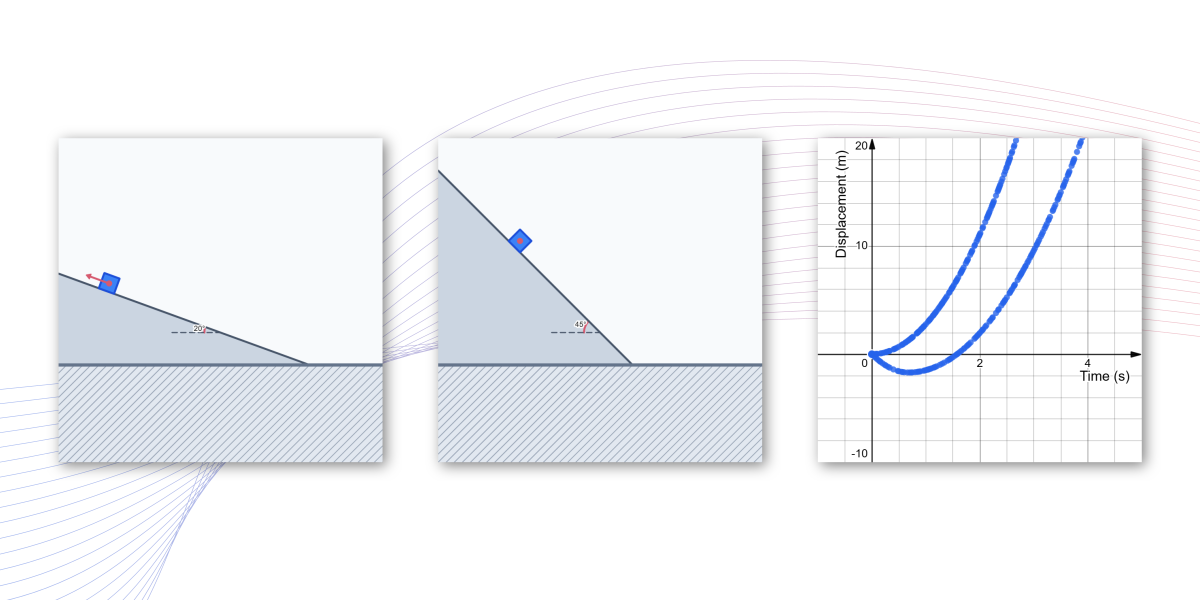
What affects the motion of an object on an inclined plane? What happens when you change its initial velocity, friction, or the angle of inclination? Explore the simulation to investigate how different conditions affect the object’s motion as represented by the graph of its displacement over time.
Seeing the Motion Through Graph
Adjust the parameters, play the animation, and see how the object’s motion is represented in its displacement-time graph.
In Visualization 2, press “Record” to begin tracing the point as the object moves. Press “Stop rec.” to stop recording the trace while keeping the recorded points visible. Use “Clear” to remove the recorded trace.
Ready for More?
Someone adjusts the parameters of the simulation and, when the animation is played, obtains a graph like the one shown in Figure 1.
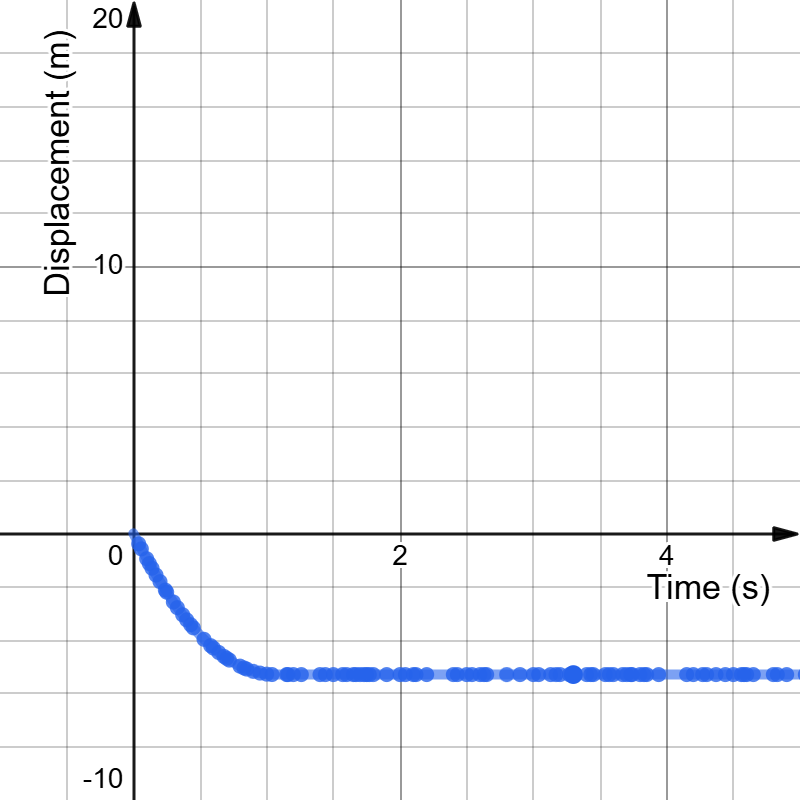
- With these parameter settings, the object is outside the animation window, so you cannot see where it is while the animation is playing. Using the graph in Figure 1, can you determine where the object is at each moment in time? Explain how you know.
- Based on the graph, the person claims that the object will not move back down the incline. Do you agree? If you agree, which parameter(s) would you need to change to make the object move back down the incline? Why?